
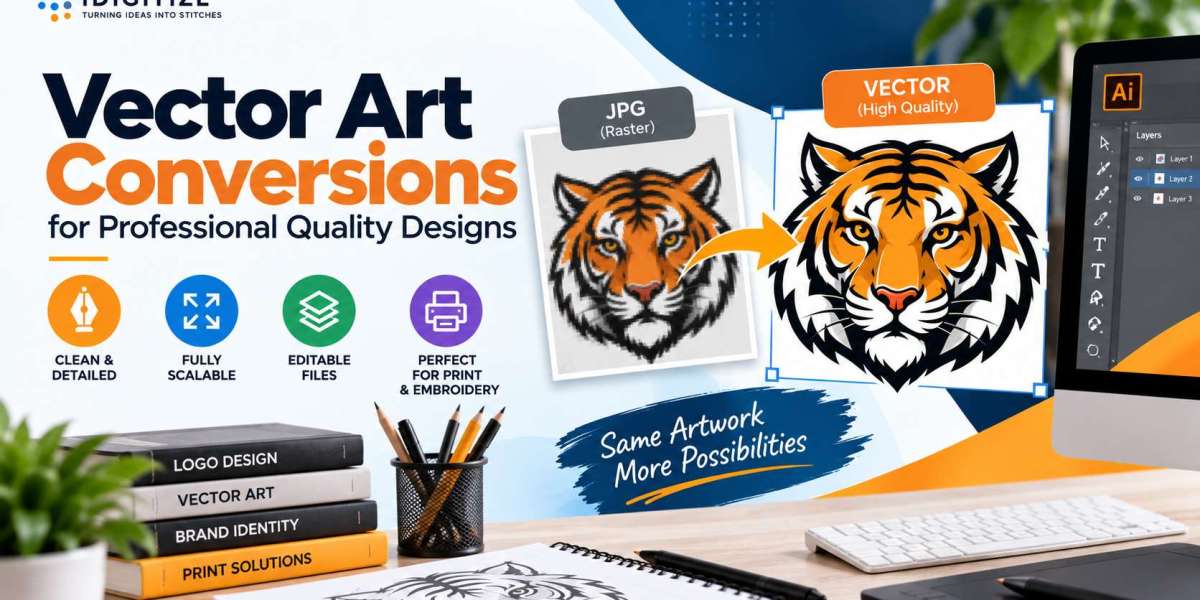
Professional artwork needs to remain clear when it moves from a small digital image to a large print, sign, garment, or promotional product. With vector art conversions, we recreate raster graphics using clean paths, curves, lines, and shapes. If your original artwork is a JPG or another pixel based image, our best vector art conversions services can help prepare scalable artwork for professional applications.
At iDigitize, we focus on recreating artwork rather than simply changing its file format. This gives you a more flexible graphic that can be resized and prepared for different production needs without the same pixelation problems found in raster images.
Why Are Vector Art Conversions Important?
Vector art conversions turn pixel based artwork into graphics defined by mathematical paths and shapes. This difference becomes important when artwork needs to be enlarged.
Raster formats such as JPG, PNG, and BMP contain a fixed number of pixels. Enlarging a small raster image can make those pixels visible, causing blurry edges and unclear details.
Vector graphics are not limited by a fixed pixel grid. Their paths can be scaled to different dimensions while keeping shapes and outlines clean.
This makes vector artwork useful for:
- Logos and branding
- Business stationery
- Screen printing
- Apparel graphics
- Packaging
- Signs and banners
- Vinyl cutting
- Laser engraving
- Promotional products
What Makes a Design Professional Quality?
Professional quality vector artwork should be clean, accurate, and suitable for its intended application.
A good conversion pays attention to several important details.
Smooth paths: Curves and outlines should appear controlled rather than rough or uneven.
Accurate shapes: Important elements should remain consistent with the supplied design.
Clear lettering: Text and logo lettering should remain easy to identify.
Suitable colors: Colors should reflect the source artwork and project requirements.
Scalable elements: The artwork should remain clean when used at different sizes.
Appropriate file format: The finished file should work with the software or production method being used.
These factors are worth considering when selecting best vector art conversions services for professional design work.
How We Turn Raster Artwork Into Vector Designs
At iDigitize, we use manual vector tracing to recreate raster artwork. The process involves rebuilding the actual design elements as vector paths.
1. We Examine the Source Artwork
We begin by reviewing the file you provide. It may be a JPG, PNG, logo, illustration, drawing, or another raster graphic.
We look at the shapes, lettering, outlines, colors, curves, and visible details. Providing the clearest original image available gives us a better reference for recreation.
2. We Rebuild the Design
Next, we recreate the artwork using vector paths, lines, curves, and shapes.
Manual tracing provides greater control over how the design is rebuilt. This is particularly useful for logos, lettering, and graphics where clean edges are important.
Professional vector art conversions should recreate the artwork rather than simply place the original raster image inside a vector file.
3. We Review Important Details
Once the main paths are created, important visual elements need to remain consistent with the source artwork.
We pay attention to curves, outlines, shapes, lettering, and other visible details that influence the appearance of the finished design.
4. We Prepare the Required Format
The completed artwork can then be prepared in an appropriate vector format.
Common formats include AI, EPS, SVG, PDF, CDR, and DXF. The right option depends on the software, printer, cutting system, or other production process you plan to use.
Manual Vector Tracing vs Automatic Tracing
Automatic tracing software can create vector paths quickly, but the result depends on the quality and complexity of the original image.
A clear and simple graphic may produce a reasonable automatic trace. However, low resolution or detailed artwork can lead to:
- Rough outlines
- Too many anchor points
- Uneven curves
- Distorted shapes
- Poorly defined lettering
- Unwanted background details
Manual tracing provides more control.
Instead of allowing software to decide every path automatically, we can recreate shapes and curves based on the visible design. This can be especially valuable when vector art conversions are being prepared for professional applications.
Choose a Vector Format Based on Your Project
Different vector formats support different design and production workflows.
AI
AI is associated with Adobe Illustrator and is useful when artwork needs further editing in compatible software.
EPS
EPS is commonly used to exchange vector graphics in professional printing and design workflows.
SVG
SVG provides scalable graphics for digital applications and is also supported by many cutting and design programs.
PDF can preserve vector information while providing a convenient file for sharing artwork.
DXF
DXF is commonly associated with CAD and certain cutting or manufacturing applications.
Before requesting vector art conversions, check whether your printer or production provider requires a particular file format.
Where Can Professional Vector Designs Be Used?
Vector artwork is valuable when one design needs to work across several applications.
For example, a business may have a small JPG logo originally created for a website. Later, that same logo may be needed for a large sign, embroidered or printed apparel, packaging, a banner, or a vehicle graphic.
A vector version provides more flexible master artwork for these different uses.
Vector paths are also useful for applications such as screen printing, vinyl cutting, engraving, and signage where clearly defined shapes may be important to the production workflow.
How to Prepare Artwork for Vector Conversion
You can make the conversion process easier by providing the best source material available.
First, send the highest quality version of your artwork. Avoid screenshots or repeatedly compressed images when an original file is available.
Second, include a clear reference if small lettering or design elements are difficult to identify.
Third, explain how you intend to use the final artwork. Knowing whether the design is intended for printing, signage, apparel, cutting, or engraving provides useful context.
Finally, check which vector format your production provider requires.
Common Problems to Avoid
One common mistake is assuming that changing a JPG extension to EPS or SVG automatically creates vector artwork. The design itself must be recreated using vector paths.
Another mistake is enlarging a small raster image and assuming that its quality has improved. Increasing the dimensions of a JPG does not restore missing image information.
You should also avoid relying on automatic tracing without checking the resulting paths. Excessive points and rough curves can make artwork harder to edit and may affect its appearance.
Professional vector art conversions should focus on clean and practical artwork rather than simply producing a different file type.
Prepare Your Designs for Professional Use
At IDigitize, we use vector art conversions to recreate raster graphics as clean, scalable artwork for professional applications. A well prepared vector file gives you greater flexibility when your design needs to move between printing, signage, apparel, packaging, cutting, engraving, and other uses.
Send us the clearest version of your artwork and let us know its intended application. We can prepare an appropriate vector format that supports your next design or production project.
Frequently Asked Questions
What is vector art conversion?
Vector art conversion is the process of recreating pixel based artwork using mathematical paths, curves, lines, and shapes. The resulting vector artwork can be resized without the same pixelation that occurs when raster images are enlarged.
Can a JPG logo be converted into professional vector artwork?
Yes. A JPG logo can be recreated as vector artwork using tracing techniques. The clarity of the original image matters because a higher quality reference makes shapes, lettering, colors, and other details easier to identify.
Do vector art conversions improve image quality?
Vector conversion creates clean, scalable artwork rather than adding resolution to the original raster image. It can provide better flexibility for resizing, but details that are completely missing from a poor source image cannot automatically be recovered.
Which vector file format is best for professional use?
There is no single best format for every project. AI, EPS, SVG, PDF, CDR, and DXF support different workflows. We recommend checking the requirements of your printer, designer, or production provider.
Why is manual vector tracing useful?
Manual tracing provides greater control over curves, paths, shapes, and lettering. It can be particularly useful when automatic tracing creates rough outlines, excessive anchor points, or inaccurate details.


